Marketers and sales teams are constantly searching for the safest way to run LinkedIn outreach at scale. Many still buy verified LinkedIn accounts only to see them banned after a few weeks.. Others experiment with top anti-detect browsers like Dolphin, Indigo, or GoLogin to manage multiple profiles. But the real question is: if you rent ID-verified accounts, do you still need an anti-detect browser for LinkedIn?
What Are Anti-Detect Browsers and Why They Matter
Anti-detect browsers are tools designed to mask your digital fingerprint. They let you run several sessions without LinkedIn realizing the accounts are managed from the same computer. Popular choices include:
When combined with high-quality proxies, anti-detect browsers allow marketers to safely manage LinkedIn proxy accounts and reduce the risk of “LinkedIn jail.”
The Limitations of Browsers Alone
Even with the best anti-detect browsers for multi-account management, you can’t bypass one crucial fact: if your LinkedIn account is weak, you’re still at risk. Fake or recycled accounts are flagged quickly. That’s why those who just buy a LinkedIn account from random sellers usually lose it fast — LinkedIn’s algorithms pick up inconsistencies in identity, activity history, and login behavior.
The Winning Stack: Anti-Detect + Verified Accounts
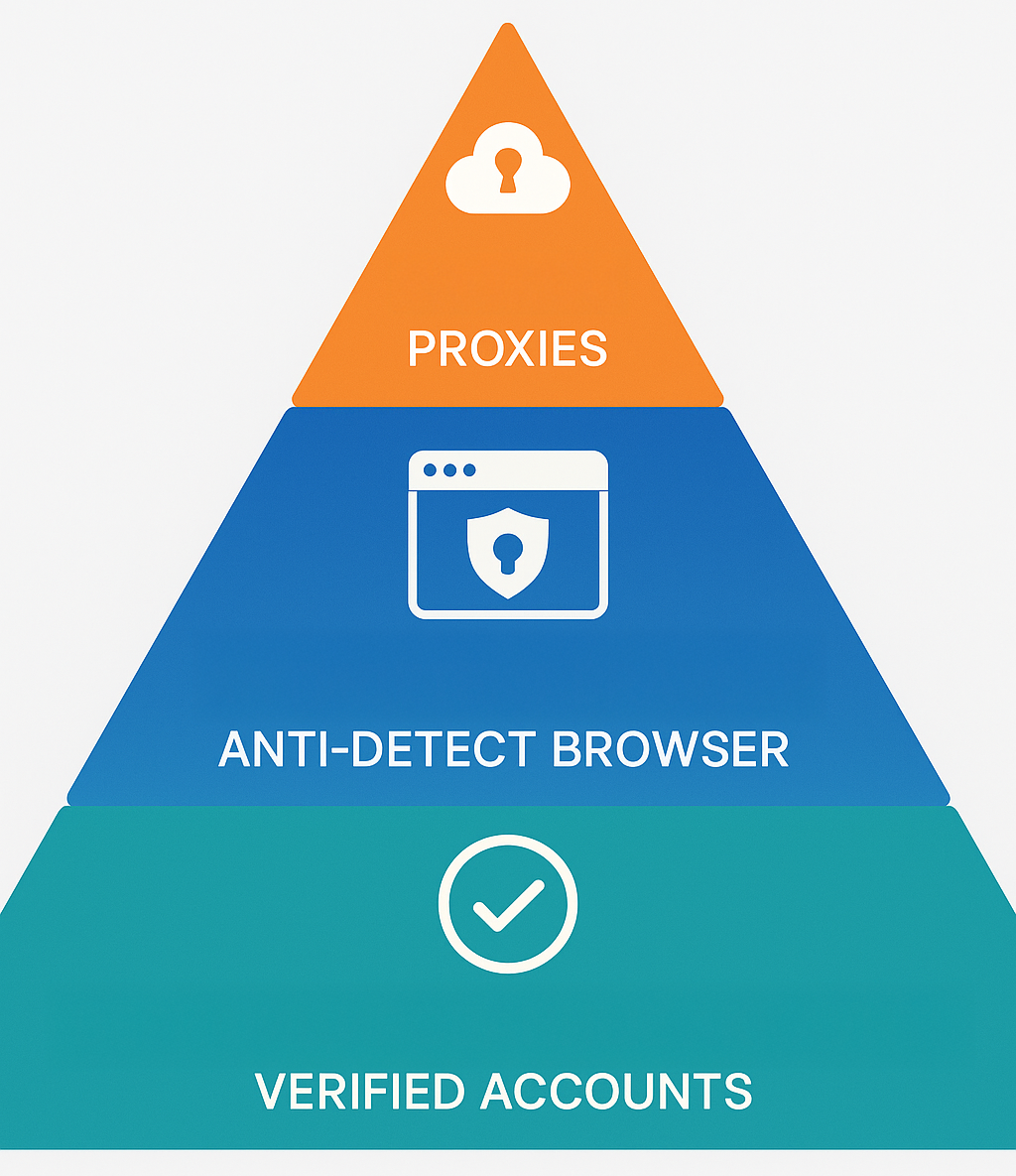
So, do you still need anti-detect browsers if you rent verified accounts? The short answer: yes. Renting verified accounts gives you strong “foundations,” but you still need an anti-detect browser for LinkedIn plus proxies to manage multiple sessions securely. Think of it like building a house: verified accounts are the foundation, the anti-detect browser is the walls, and proxies are the roof. Without one of them, the structure is weak.
Practical Tips for Safe LinkedIn Outreach
- Always warm up accounts gradually – don’t send 100+ requests from day one.
- Pair accounts with proxies – each account needs its own IP identity.
- Choose reliable browsers – AdsPower, Dolphin, and GoLogin are strong choices.
- Don’t over-automate – keep activity human-like.
- Combine tech with strategy – renting verified accounts plus anti-detect = the safest stack.
Conclusion
If you’re scaling LinkedIn outreach, don’t make the mistake of thinking browsers alone will protect you. Buying fake accounts or trying to cut corners only leads to bans. The real formula is: rent or buy verified LinkedIn accounts + top anti-detect browsers + solid proxies. This stack is what keeps your outreach campaigns safe, sustainable, and effective.
Ready to scale safely with LinkUnity?
LinkUnity is here to support your journey with:
- ID-verified LinkedIn accounts with the official verification badge
- Accounts ready for automation in anti-detect browsers
- Fast replacements and recovery support
- Bulk supply with transparent pricing
👉 Get started with LinkUnity today